
Considering that I’m someone who is very anal about things like To-Do lists, workflow and productivity, I am always on the look out for things to help me in my pursuit of buckling down and getting things done. On-Together seemed like a fun game for those who wanted to stay on task and simultaneously be able to connect with friends who feel the same. Thus, I decided to explore this demo and see what I felt about it.
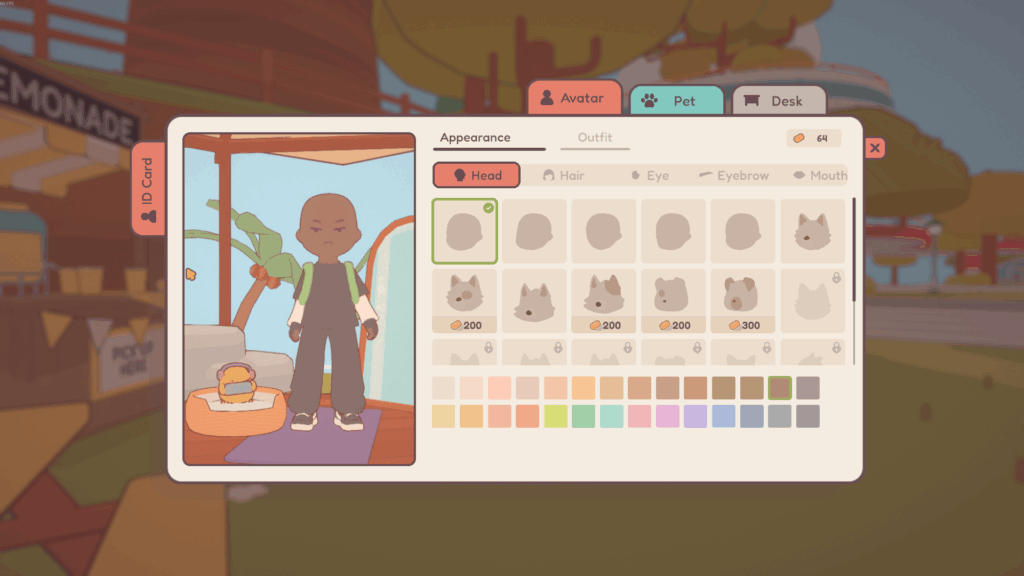
When you first get started you’re treated to customization. This is divided to three different sections : Avatar, Pet, and Desk. Some items are readily available to be tried on and worn, others need to be bought using the in-game currency known as “Tickets”. I will explain how to earn these later down the line. For now, let’s discuss each of these sections.
- AVATAR — This option allows you to customize your avatar in a variety of ways: Head, Hair, Eyes, Eyebrows, Mouth, and Facial. You’re able to change the color of somethings, while other things simply come the way they are. Overall, I was pretty happy with the selection given the simplicity of the overall aesthetic. However, I am disappointed by the lack of facial hair. Considering I have quite the luscious beard and have always had facial hair, it feels very weird and alien not to have any at all. Being able to have completely hallowed out eyes would be nice as well.
Avatar also has an outfit section which allows you to change your Hat, Glasses, Top, Bottom, Hands, Feet, Shoes, Backpack, Tail, Full Body, and finally, Umbrella. These again, feature a wide variety of items to wear, some of which you can change the colors on if that option is available. Plenty of tops to choose from, but an underwhelming amount of the “Bottom” section (how are you going to have the Sailor Uniform Top and not the matching Skirt?!). Not bad, as I’m sure more will be available upon the official game’s launch. Also, shout out to the Cheeseburger Backpack (Steven Universe fans get me). - PET — You only get one choice for a pet, a chick named ChiXP. “A pixel-peeping chick who games harder than anyone else in the coop. Thinks every gathering means a LAN party”. You can also name them. I named mines “Fried”, mainly because having emergency snack food on hand when studying is absolutely amazing.
- DESK — Nothing to see here. This option will be available during the full game’s launch.
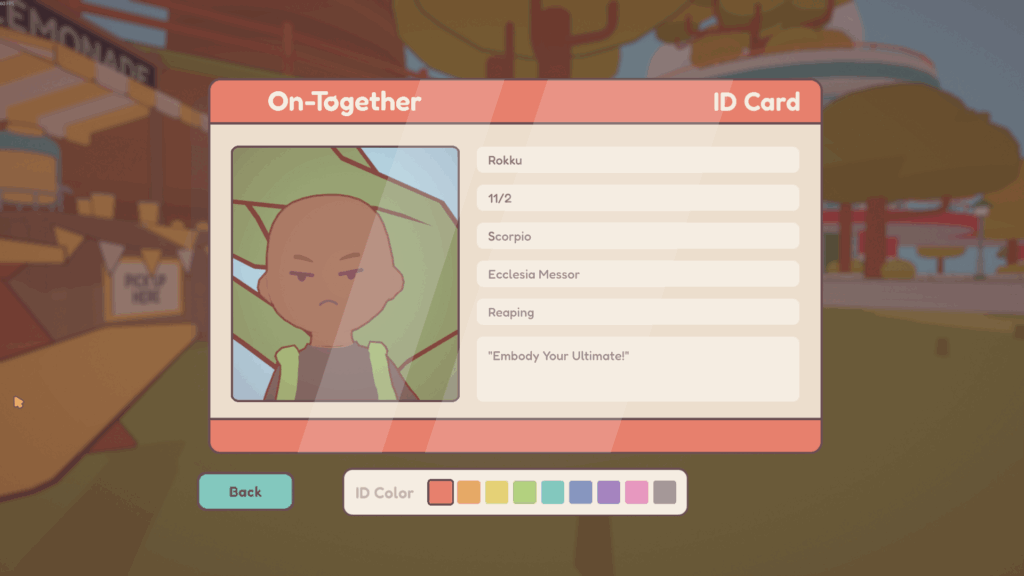
You’re able to make a small ID for yourself after all of this. It features the avatar you’ve made, including some information you get to fill out: Name, Birthday, Horoscope, Location, Area of Study, and your Favorite Quote. I think this is pretty self-explanatory, but it’s a very cool feature for social purposes. Meeting someone and having a small peek at them is always welcomed.
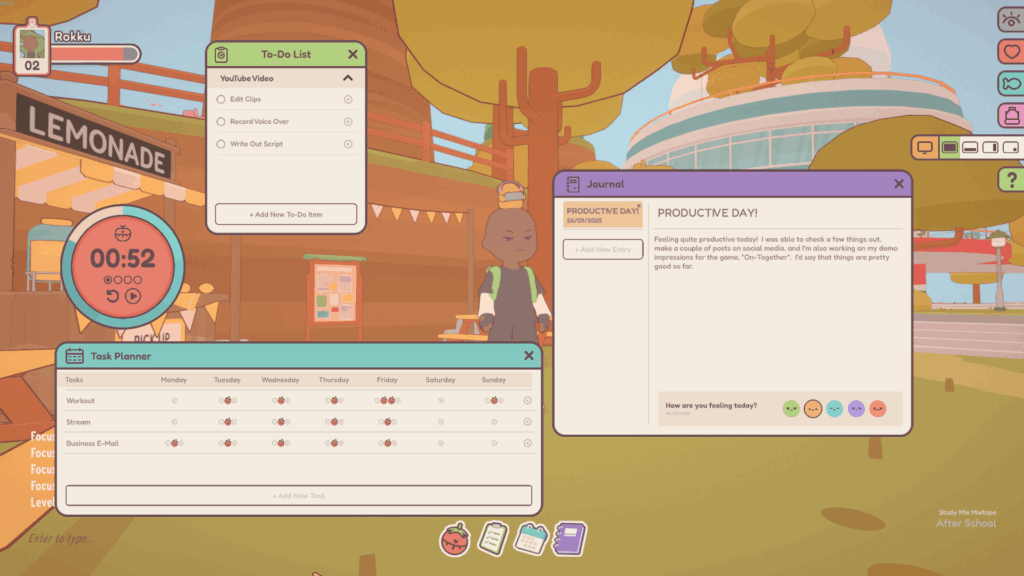
The bottom features four different icons, each one with their own uses: The Timer, To-Do List, Task Planner, and Journal.
- THE TIMER — Timer allows you to set alarms for Focus Sessions, Short Breaks, Long Breaks, and setting how many sessions until you’re able to take your long break. This allows for deep work and allows healthy periods of rest between intense focus sessions. You’re also able to change the sounds for your alarms.
- TO-DO LIST — To-Do List allows you to create different Lists with items in each of them you would need to do. This means you can set prioritizes as far as the tasks which need to be completed, then break those tasks down into steps that aid towards the completion of your overall goal. Pretty handy. Since I use Microsoft To-Do, I find this especially convenient.
- TASK PLANNER — Task Planner feels like it’s suppose to be a list of things you do on a day-to-day basis; like a list of Daily activities. However, I feel like this part feels a bit incomplete and inconsequential. I feel like “Task Planner” should be more of “Daily activities” and set priorities based on what to do. I feel like this section doesn’t make a lot of sense and can simply be covered by the “To-Do” list.
- JOURNAL — The journal allows you to type a title, gives the date of your entry, and allows you to type 1142 characters or so. I’m a chatter box, so was hoping for a longer character count, but I’ve found this is pretty sufficient given what it is. Also, I like how it color codes the entry depending on what mood you’re in. I just wish it identified the mood when you hover over the emoticons.
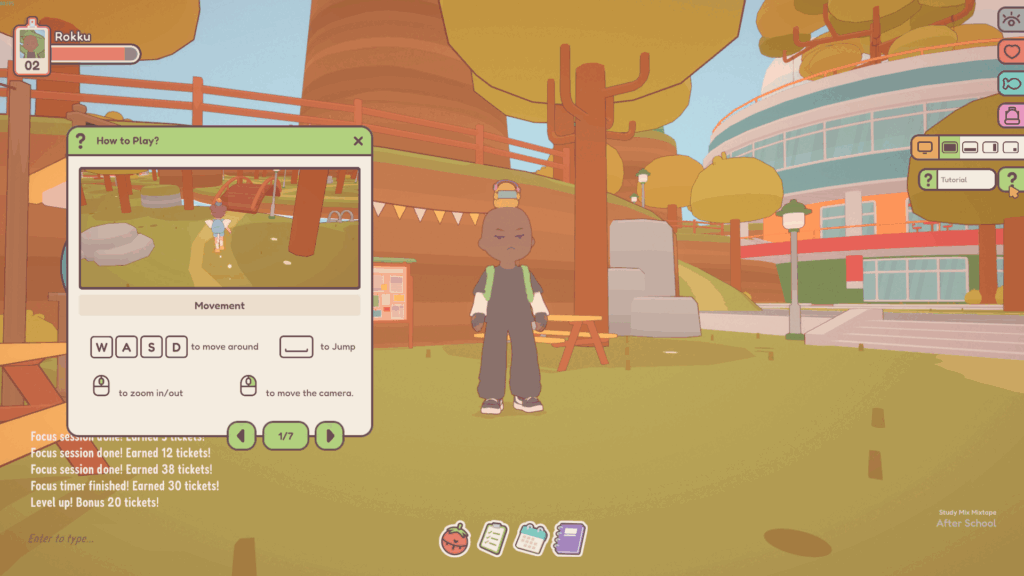
There are six icons sitting on the right-side of the screen: Hide UI, Emotes, Fishing Rod, Backpack, Screen Mode, and Tutorial.
- HIDE UI — Pretty self-explanatory. This simply hides all the UI elements/icons on the screen from view.
- EMOTES — Emotes brings up a wheel of different actions you can do. You’ve got a few available now, and some which aren’t planned until the release of the full game.
- FISHING ROD — This puts a fishing rod within your hand. This enables you to fish once you come across a body of water out in the world.
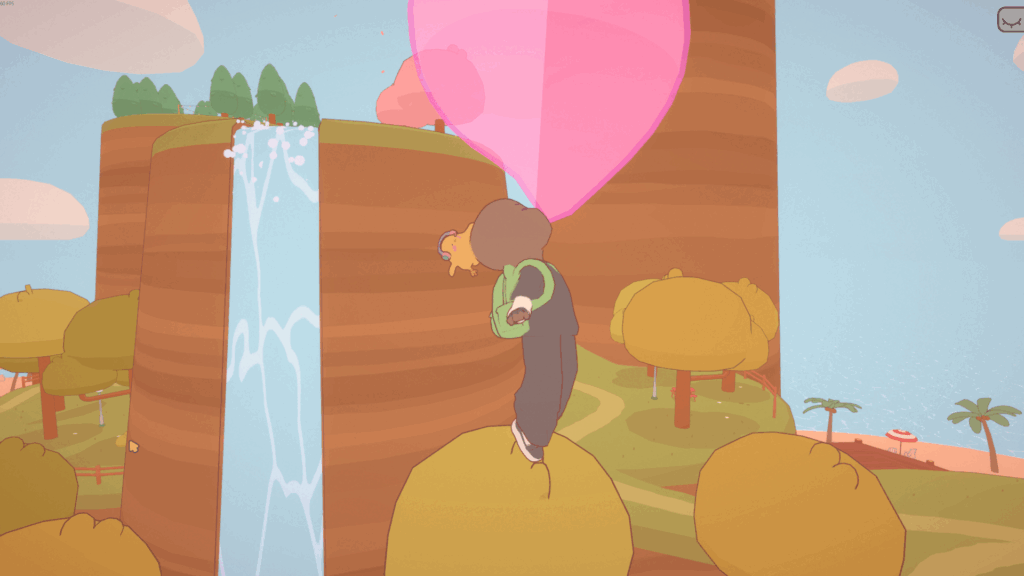
- BACKPACK — Current inventory; you start off with a 10 pack of bubblegum. No idea what else can go in there, but I’m sure to find out as long as I keep exploring On-Together!
- SCREEN MODE — Screen mode gives you four options to display the game: Full Screen, Bottom, Portrait, and Desktop. Each one is simply a preference, but Desktop being the least intrusive. I find this to be pretty awesome, as with Portrait and Bottom you’re able to adjust the position and how much screen is shown. Pretty considerate. I just wish that in “Desktop” mode you could drag him over to your 2nd monitor.
- TUTORIAL — The last icon with the “?” is Tutorial, which shows you how to basically do everything within the world. I didn’t understand a lot of things until I actually looked at this. It’s 7 pages, easy to understand, and covers most things (Including how to float using bubblegum!). I wish they had this at the bottom first; maybe shining, then have an animation moving it over to the side so it’s always there if you need it. Maybe update it over time as new things are added or more questions are brought up by players.
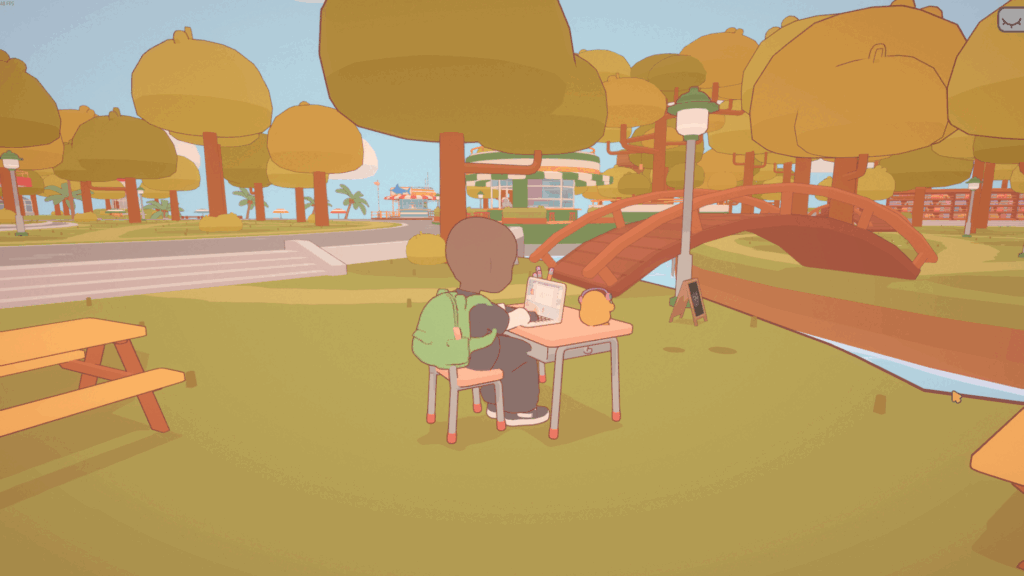
There’s only two small other things I want to talk about. That’s what “Focus” mode happens to be and also the ticket system used here.
- FOCUS MODE — Focus mode works in tandem with the timer, and allows your character to simply look as though they’re hyper fixated on the task at hand. You have a 6 options to choose from: Art, Read, Listen, Connect, Write, and Eat. Each one with a different animation associated with it. I like this because when you utilize this with Screen Mode, it’s a good reminder that you should be diligently working until it’s time to take a rest.
- TICKETS — Tickets as I said before back in the customization, is the currency of this game. You get them by completing tasks and focusing. You’re rewarded here on the honor system, so the best thing to do is treat them as extra incentive to get your personalized work done. I find that’s a win-win: you get your objectives done to further you towards your goal, and you get tickets to buy new things.
Overall, this game is a very good little way to stay focused and productive. I typically use Microsoft To-Do because it has the ability to sync between my phone and computer, but this little game is a good, interactive way to stay completely focused at home while turning workflow into a fun game. I have an older PC, so the small amount of GPU and CPU expenditure isn’t good when I have to stream games, but besides that it’s a phenomenal thing. I don’t see any other friends using it simply because most aren’t as fixated on outside goals like I am, but the fact you have the ability to meet others give the possibility of networking.
I think some small additions would make it even better, such as Task Planner being more fleshed out, saying what emotions the emoticons mean in the journal, and also disabling V-Sync as the default rather than having it on. Also, I think there should be an icon to easily turn music on/off. However, so far so good, and I am looking forward to what GigaPuff has in store with this game!

 (2 votes, average: 4.50 out of 5)
 Loading...

Leave a Reply!